Loan Report Process
Intrdouction
Hello you've gotten here that's some effort good work!
To get to loan reports we will use Alt+Q command and get to quick search within the search the keyword loan and you should see a list for loans click that and navigate to the loan list.
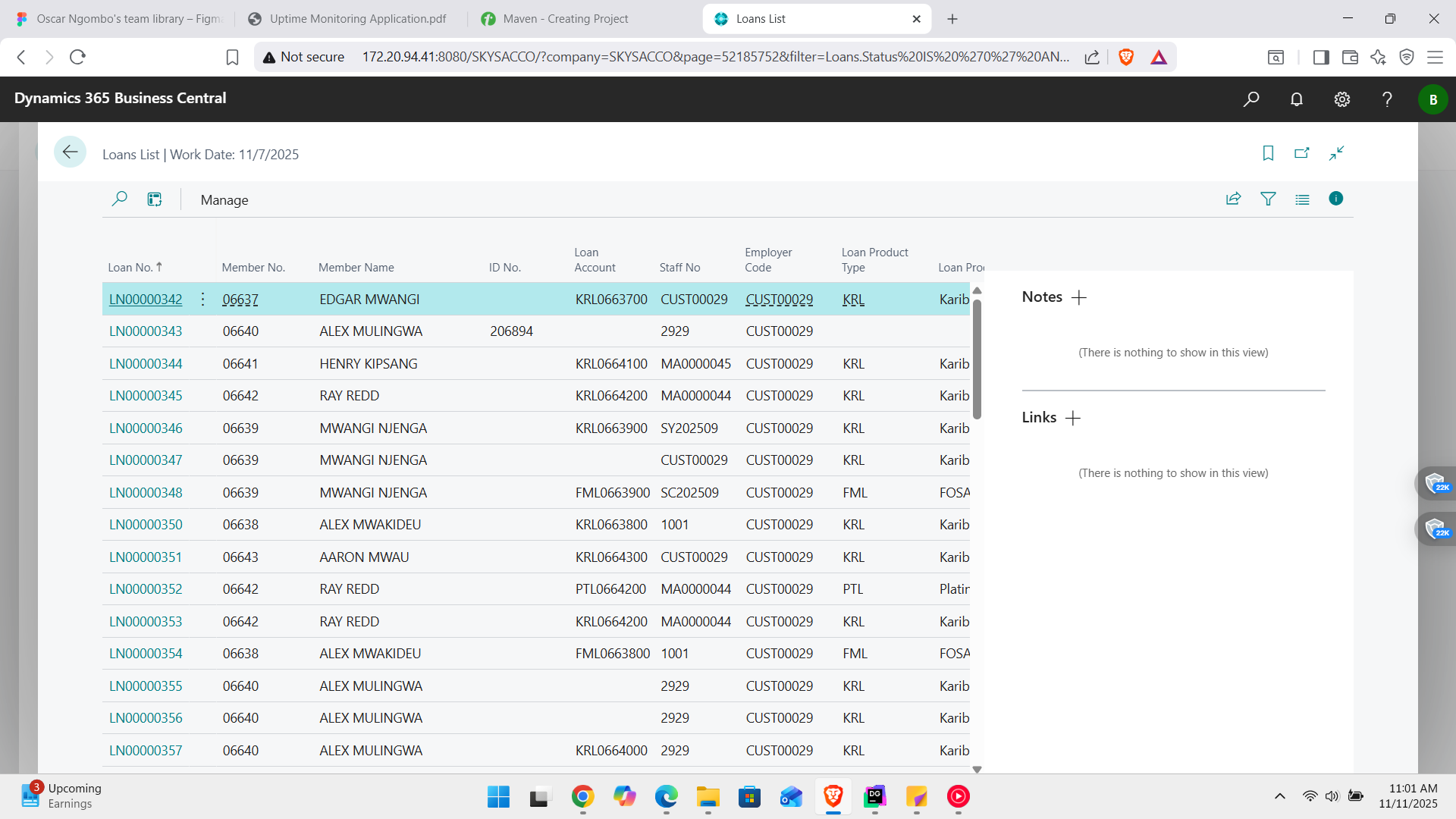
On this List view d we can such for a memebr we would like to generate a loan report for and when found click on the list item and you should see this.
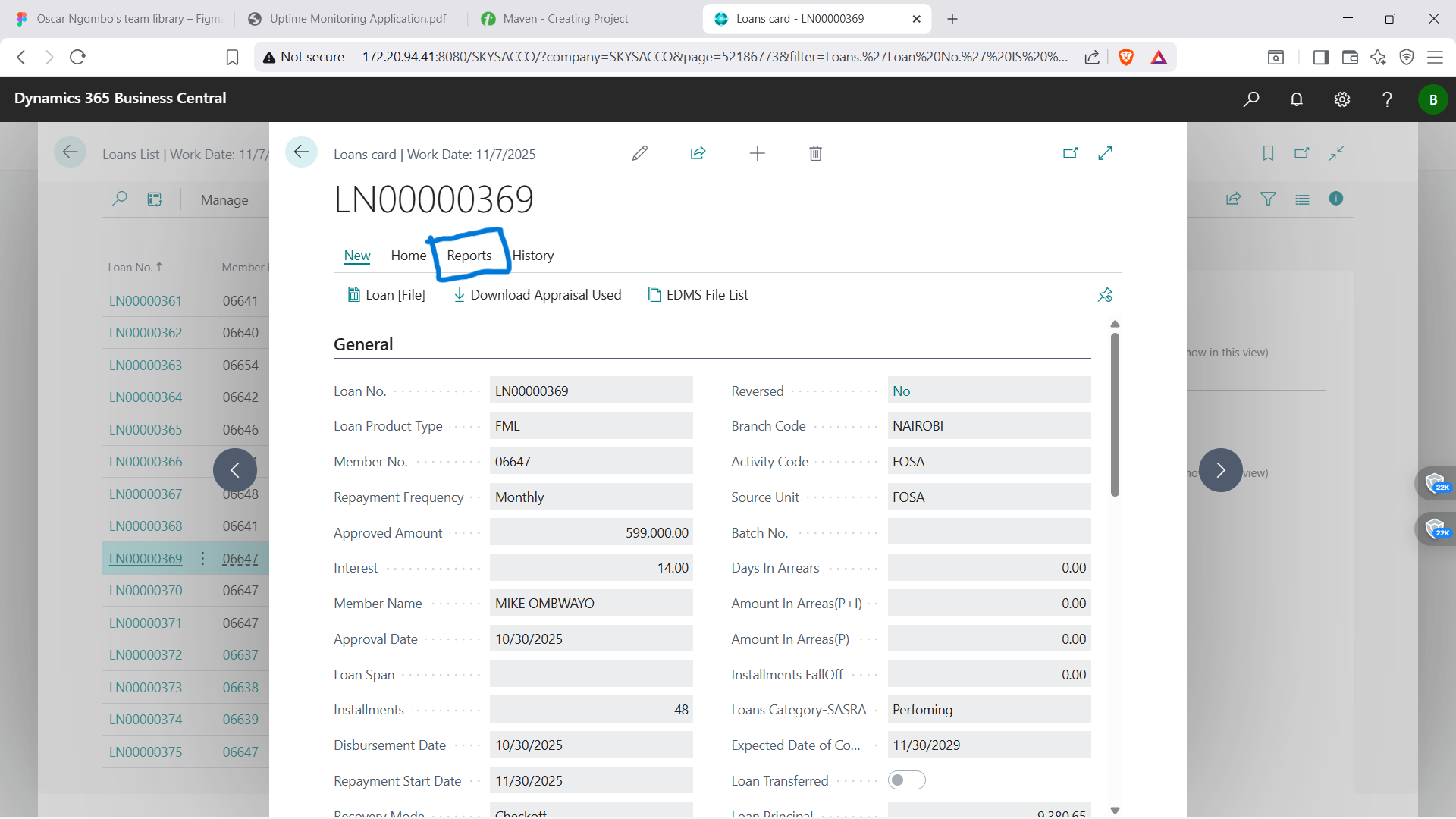
On that card you can see the report action select that. And you should see this view.
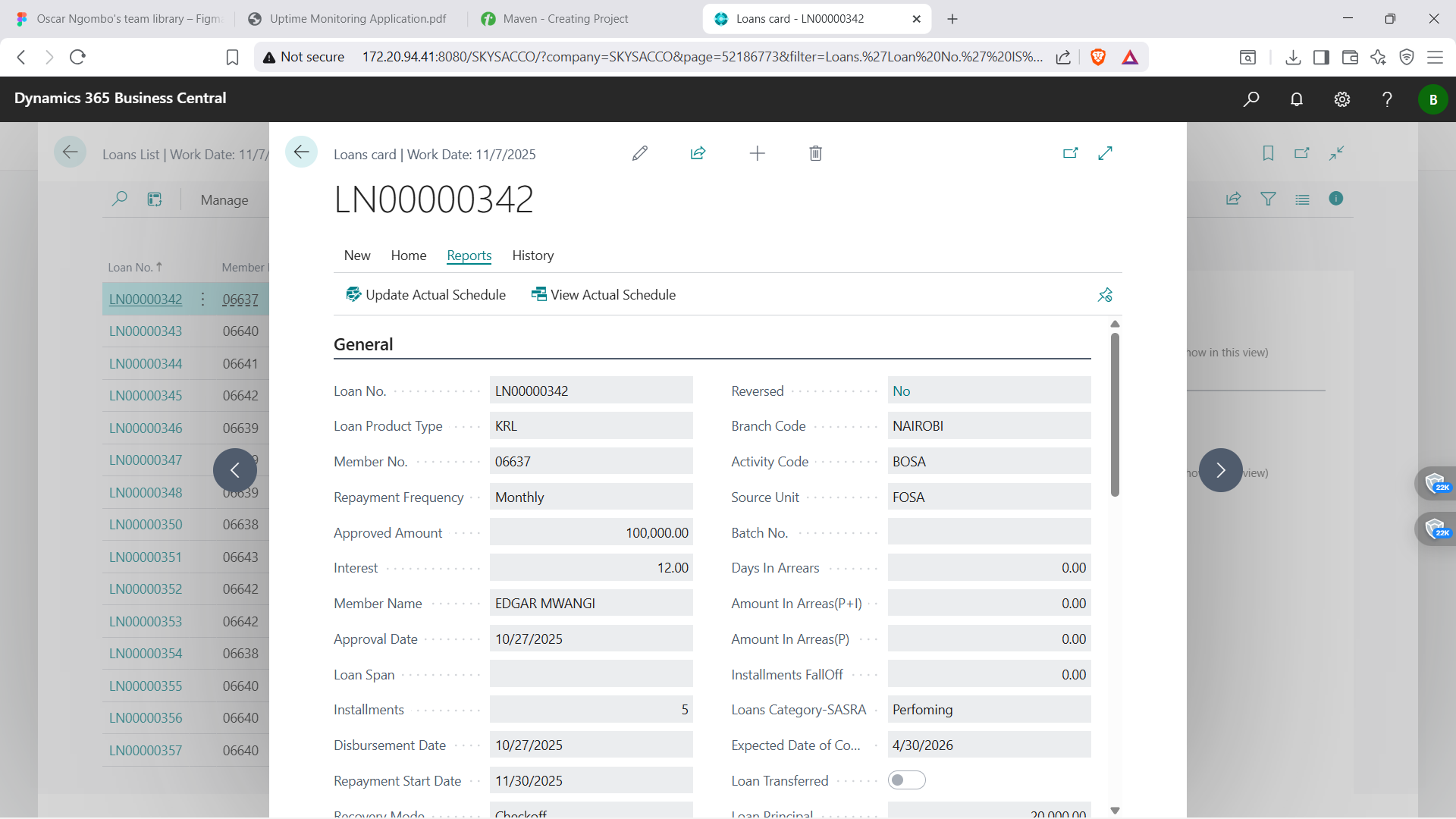
ACTIONS
- Update actual schedule
- View Actual Schedule.
NOTE: you should see this view below
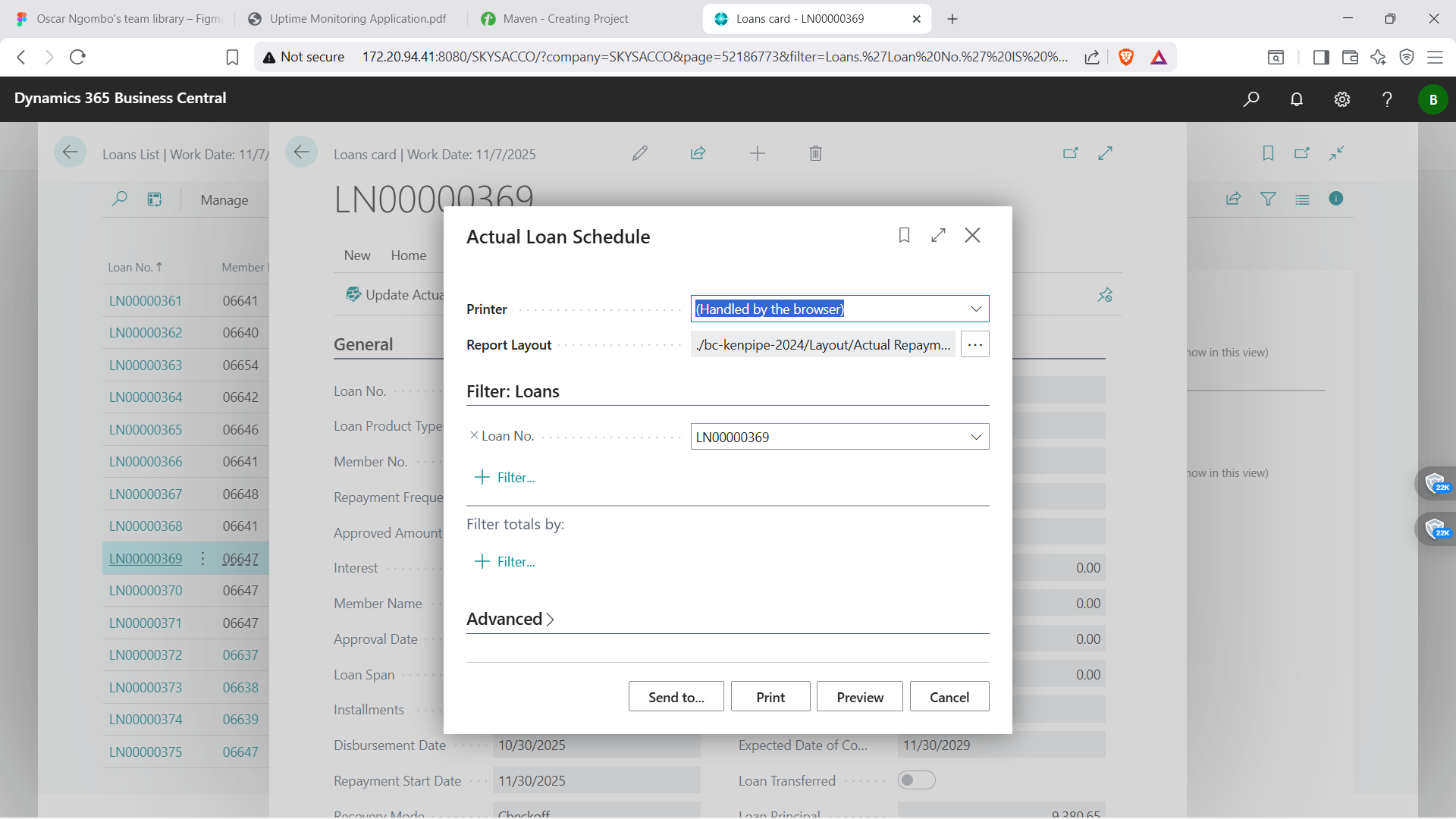
The report should look somthing like this here below.
Done you have your loan report.....Easy Right 😁?